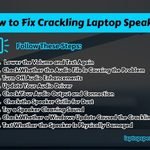
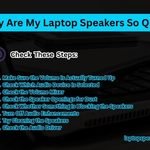
Have your laptop speakers started sounding low, muffled or crackly? It can might be frustrating when your favorite music, movies or video calls do not sound as clear as they were before.
The good news is that you may not need to repair your laptop right away. In many cases, dust, dirt or a little moisture inside the speaker can affect the laptop speaker sound. A simple online speaker cleaner tool can help you with these small problems.
Our laptop speaker cleaner tool is free to use, works in your browser and does not need any download. In this guide, you will learn how the tool works, when to use it, and how it can improve your laptop’s sound.
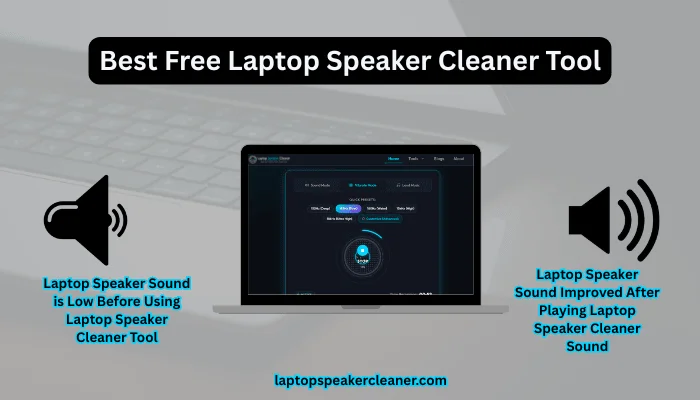
Table of Contents
What Is a Laptop Speaker Cleaner Tool?
A laptop speaker cleaner tool is an online tool that plays high-frequency sounds through your laptop speakers. These sounds create small vibrations and may help move light dust, tiny dirt particles and small drops of water away from the laptop speaker.
This tool is easy to use. You only need to open the tool website, click the start button and let the sound play for a few minutes.
It is a quick way to try improving your laptop speaker sound before spending money on expensive repairs.
Why Do Laptop Speakers Get Dirty?
The laptop speakers are open to the air. Over time, small dust particles can enter into the speaker holes.
Here are some common reasons why speakers may be dirty:
- Dust from your room
- Lint from bags or pockets
- Pet hair
- Small water drops
- Everyday use
Even if you take good care of your laptop, dust slowly builds up inside the speaker grills over time.
Signs Your Laptop Speakers Need Cleaning
You may notice one or more of these problems:
- Low volume
- Muffled sound
- Crackling noise
- Distorted audio
- Music does not sound clear
- Video calls are harder to hear
These signs do not always mean your laptop speakers are broken. Sometimes they only need a simple cleaning.
Why Use Our Free Laptop Speaker Cleaner Tool?
There are many reasons to try our laptop speaker cleaner tool.
Free to Use
You do not have to pay for anything.
No Download
The tool works directly in your web browser so no download required.
Easy to Use
Anyone can use it easily in just a few clicks.
Fast
The cleaning process usually takes only few seconds to remove dust and water from the laptop speaker.
Works on Most Laptops
Our online speaker cleaning tool works with many popular brands, including:
- HP
- Dell
- Lenovo
- ASUS
- Acer
- MSI
- Samsung
- LG
- Apple MacBook
- Microsoft Surface
How Does the Tool Work?
Our laptop speaker cleaner sound tool plays carefully chosen sound frequencies through your laptop speakers. These sound waves make the laptop speaker move very quickly. This movement may help:
- Move light dust
- Push out small water drops
- Reduce small crackling sounds
- Make audio clearer
This online tool does not open your laptop or change any settings. It only uses the sound.
How to Use the Laptop Speaker Cleaner Tool
Using the online speaker cleaner tool is simple.
Step 1
Open the laptop speaker cleaner tool in your web browser.
Step 2
Set your laptop volume to about 80%.
Do not use the highest volume unless the tool tells you to do.
Step 3
Click the Start button.
Step 4
Let the sound play for 60 seconds.
Step 5
Play a song or video to check if the speaker sound is better that before.
If needed, you can repeat the cleaning process one or two more times.
What Can This Tool Help With?
The laptop speaker tool may help if your laptop has:
- Dust inside the speakers
- Light moisture
- Muffled sound
- Low speaker volume
- Small crackling noises
- Poor sound quality
Many users notice better sound quality after running the laptop speaker cleaner online tool for a few minutes.
What This Online Laptop Speaker Dust Remover Tool Cannot Fix
It is important to know that the online speaker cleaner can not fix every problem.
Our tool cannot repair:
- Broken speakers
- Water damage inside the laptop
- Loose speaker wires
- Hardware problems
- Damaged speaker parts
If your laptop was dropped or has serious water damage in it, you should contact a repair technician.
Laptop Speaker Cleaner vs Manual Cleaning
| Online Speaker Cleaner | Manual Cleaning |
| No download needed | May need cleaning tools |
| Very easy to use | May take more time |
| No need to open the laptop | May require opening the laptop |
| Good for light dust | Better for heavy dirt |
| Safe for most users | Needs extra care |
Many people clean laptop speakers using sound first because it is quick and simple.
Tips to Keep Your Laptop Speakers Clean
You can keep your laptop speakers in good condition by following these simple tips.
- Keep your laptop away from dust.
- Do not eat anything over your laptop.
- Keep drinks away from your laptop desk.
- Store your laptop in a clean bag.
- Clean the speaker holes with a soft brush.
- Use the laptop speaker cleaner once every month.
Small habits can help your laptop speakers last longer.
Does the Laptop Speaker Cleaner Really Work?
Yes, it can help in many cases. If your laptop speakers sound bad because of dust or a little moisture, the online speaker cleaning sound may improve the audio quality.
However, it is not a magic fix. If the laptop speaker is physically damaged, no sound tool can repair it.
Think of this free laptop speaker cleaner tool as the first thing to try before paying for repairs.
Who Should Use This Laptop Speaker Cleaner Tool?
This tool is basically useful for:
- Students
- Office workers
- Gamers
- Online teachers
- People who attend video meetings
- Anyone who watches movies or listens to music on a laptop
If your laptop speakers do not sound as clear as before, this tool is worth trying at least once.
Conclusions :
If your laptop speakers sound low, muffled or crackly, do not worry away. Dust and small amounts of moisture are common causes of poor sound.
Our laptop speaker cleaner tool is a free tool that can easily clean your speakers without downloading any software. It takes only a few minutes, works in your web browser and is simple for anyone to use.
Try this speaker cleaner tool today and see if it helps bring back the clear sound of your laptop speakers once again. Regular cleaning can also help keep your laptop speakers working well for a long time.
FAQs :
Is the laptop speaker cleaner tool free?
Yes. You can use laptop speaker cleaner for free.
Do I need to install anything?
No. The tool works in your web browser.
Is laptop speaker cleaner tool safe?
Yes. Use the recommended volume and follow the instructions as it is.
Does it work on MacBook?
Yes. It works well on MacBook and many other laptops.
Can it remove water from speakers?
It may help to remove small amounts of water, but it cannot fix serious water damage.
How long should I use the tool?
Most people use it for two to three minutes.
Can I use it every week?
Yes. Regular cleaning can help keep your laptop speakers clear.
Can it fix broken speakers?
No. Broken speakers need repair or replacement.